Secret Strings
A secret string is a named, encrypted value stored on the Syslog Watcher Server.
Settings refer to it as %Name% instead of holding the actual password or key.
-
Configuration files do not contain the real value.
-
One secret can be used in several places; when the password changes, you update only the secret.
Secret Strings Window
In the Server section of the main toolbar, click  More →
  Secret Strings…
The 🔑 button next to a setting that accepts secrets opens the same window.
Secret Strings…
The 🔑 button next to a setting that accepts secrets opens the same window.
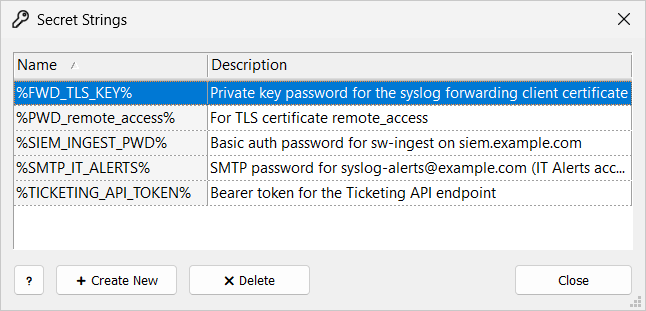
In a remote session, Operator can add secrets and Admin can also delete them. For other users, the window is Read Only.
Create a Secret
-
In the Secret Strings window, click Create New.
-
Fill in the secret settings.
-
Click Create.
Secret String
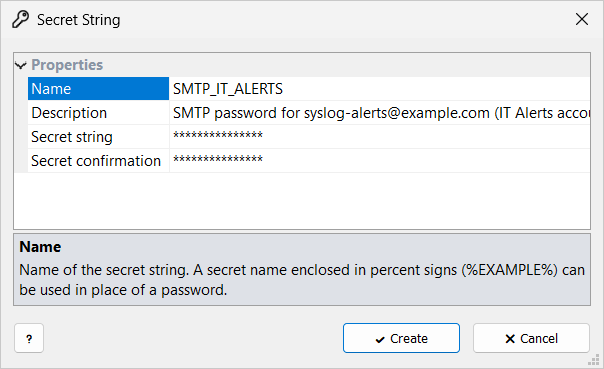
| Setting | Description |
|---|---|
Name |
Used as |
Description |
Optional; at most 1024 UTF-8 bytes. |
Secret string |
The value. Required. You enter it once; it cannot be viewed or changed later. |
Secret confirmation |
The same value again. |
To change a value, delete the secret and create it again with the same name.
Use a Secret
In a setting that accepts secrets, choose the secret from the setting’s list, or type %Name%.
These settings include:
-
email account and HTTP endpoint passwords, and HTTP request headers
-
private key passwords (TLS network interfaces, remote access, forwarding over TLS)
-
the Password of Execute Program/Script and of the archive command
-
the archive zip password
The server replaces %Name% with the value when it uses the setting.
If no secret has that name, the text stays as typed.
When you generate or import a TLS certificate with an encrypted private key, Manager saves the key password as the secret PWD_<certificate name> (description For TLS certificate <certificate name>).
Deleting the certificate also deletes the secrets with that description.
How Secrets Are Protected
Secrets are encrypted with Windows DPAPI for the server computer. They cannot be decrypted on another computer.
When you move a configuration to another installation, create the same secret names there.