Create or Edit a Parser
Create or Edit a Parser
-
In the Storage section of the main toolbar, click
 Parsers.
 -
Click Create New, or select a parser and click Duplicate or Edit…
-
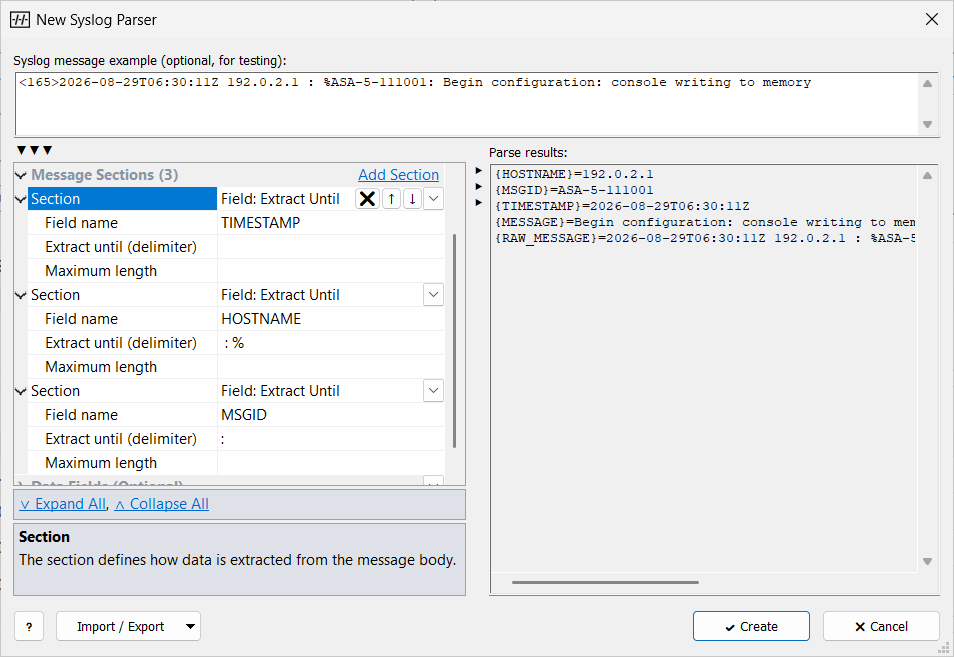
Enter the Parser name and click Add Section for each parsing step (see Message Sections).
-
Paste a message into Syslog message example (optional, for testing); Parse results: shows the fields the parser finds.
-
Click Create (new parser) or Apply (existing parser).
-
Select the parser in the Parser property of the originators that send this format.
| General Properties |
Parser name (required, unique) and Description. |
| Data Fields (Optional) |
Extra fields taken from the message body after the message sections run. See Field Extraction. |
| Message Sections |
The parsing steps, in order. |
Message Sections
Click Add Section for each step.
Sections run from top to bottom; each one takes its part from the start of the remaining text.
The text that remains is {MESSAGE}.
Most sections take the part they recognize and leave the rest to the next section. Field: Extract Until and Skip: Until Delimiter stop parsing when the delimiter is not found; the fields found so far are kept.
| Section | Effect |
|---|---|
Header: IETF/BSD-syslog (RFC5424/RFC3164) |
Parses a standard syslog header: |
Header: RFC5424:STRUCTURED-DATA |
Parses RFC 5424 structured data at the current position.
Each parameter becomes a field named |
Field: Legacy Timestamp (RFC3164) |
Parses an RFC 3164 timestamp, such as |
Field: Extract Until |
Saves the text up to Extract until (delimiter) in the field named in Field name (for example |
Skip: Spaces |
Skips spaces at the start of the remaining text. |
Skip: Symbols |
With one character in Symbols to skip, skips every repetition of that character. With several characters, skips that exact text once, if the remaining text starts with it. |
Skip: Until Delimiter |
Skips text up to and including Skip until (delimiter). |
Body: Common Event Format (CEF) |
Parses a |
Body: Name=value pairs |
Parses |
Body: Comma-Separated Values (CSV) |
Splits the body into values named |