Syslog Parsers
A syslog parser breaks a syslog message (one line of text) into fields such as TIMESTAMP, HOSTNAME, APPNAME, and MSGID.
You can use these fields in filters, view columns, and feature templates.
Each originator has one parser; new originators get the default parser. Messages are parsed when they are read from syslog storage, so a new parser also applies to messages that are already stored.
-
Create or Edit a Parser — the parser window and its message sections
-
Report Incorrect Parsing — send a wrongly parsed message to EZ5
Syslog Parsers Window
In the Storage section of the main toolbar, click  Parsers.
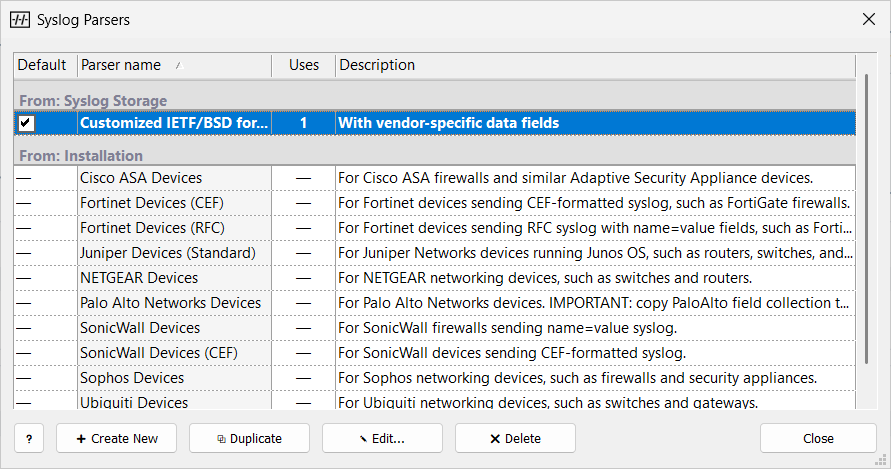
The list is grouped by From: Syslog Storage and Installation (read-only, shipped with the product). Installation parsers cover common vendors, and product updates add more.
To make a syslog storage parser the default for new originators, select its Default check box, or right-click it and choose Set Default Parser. An installation parser cannot be the default; duplicate it and make the copy the default.
Assign a Parser to an Originator
Select the parser in the Parser property of the originator. If you select an installation parser, Manager offers to copy it into syslog storage and assigns the copy.
If no parser fits, duplicate the closest one and adjust it (see Create or Edit a Parser), or report the message to EZ5.
Related Topics
-
Originator Properties — the Parser setting