Formatting
A format string is text with fields in braces. For each message, Syslog Watcher replaces every field with its value. Format strings are used in view columns, feature templates, email subjects and bodies, file and folder names, HTTP requests, and report templates. The fields of a filter expression are format strings too.
Example:
{RECEIVED_S|%F %T} {ORIGINATOR_NAME}: {MESSAGE}
For the example message this prints:
2026-10-13 09:42:17 Edge firewall: Failed password for root from 203.0.113.45 port 51514 ssh2
| An unknown field prints as empty text, with no error, so a misspelled field name goes unnoticed. |
Text with Fields Editor
Click  Editor… next to a format string setting to open it in a larger window.
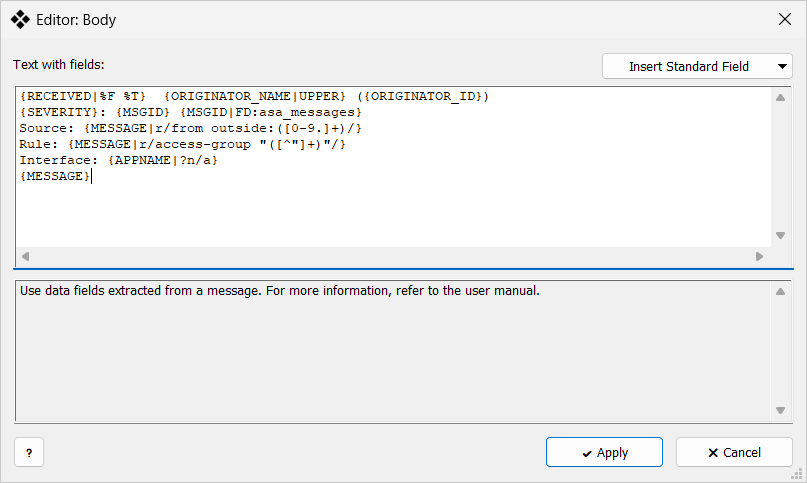
Text with fields editor
-
Text with fields: — the format string.
-
Insert Standard Field — inserts a field at the cursor.