Evaluation License
An evaluation license lets you try a paid Syslog Watcher license for a limited time.
-
In the Server section of the main toolbar, click
 Licenses.
 -
Click Request Evaluation…
-
Fill in the Request Evaluation License window:
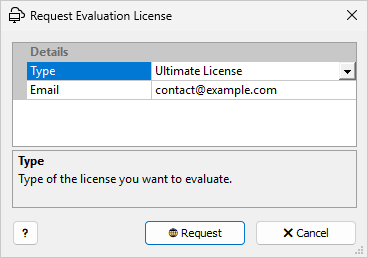 Request Evaluation License window
Email is required: if the license cannot be obtained online, EZ5 sends the evaluation license to this address. -
Click 🌐 Request.
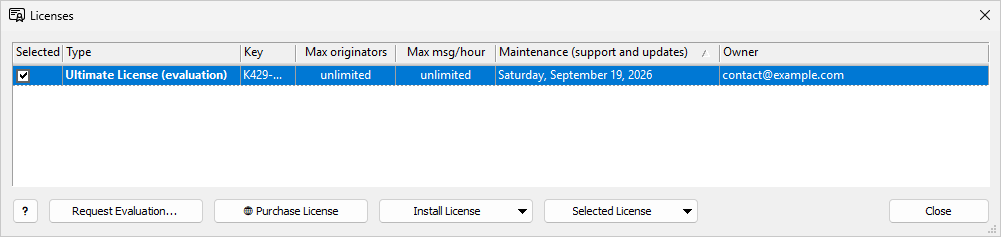
When the license server can be reached, the evaluation license is installed. If no other license is selected, it is selected automatically; otherwise, select it. The Type column shows the edition with (evaluation), and the Maintenance (support and updates) column shows the date the evaluation ends.
No Connection to the License Server
If the license server cannot be reached, a Web Link window opens with a request link; see Offline Installation.
When the Evaluation Ends
The Type column shows (expired), and the Free License limits apply: up to 3 originators and 5000 messages per hour. Install and select a purchased license to continue with the full edition.
To remove an evaluation license, highlight it and click Selected License → Uninstall License… It is removed immediately, without a key or confirmation.